
Play
Back screen for low post
Play we can use in the last seconds of possession or to find a front shot with a flare from our 3. #half-court-attack
Video
Play we can use in the last seconds of possession or to find a front shot with a flare from our 3. #half-court-attack
Step descriptions
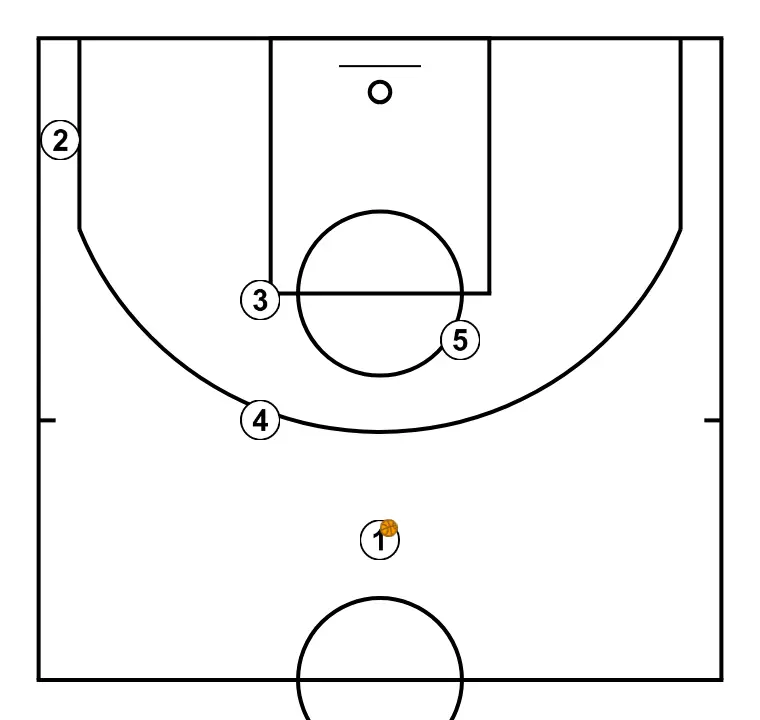
STEP 1
We define the starting positions of the players, placing each strategically to optimize passes and attacking options.

STEP 2
Point guard shifts to an optimal spot on the court to maximize offensive efficiency. Center changes location seeking advantage over the defender and scoring opportunities.
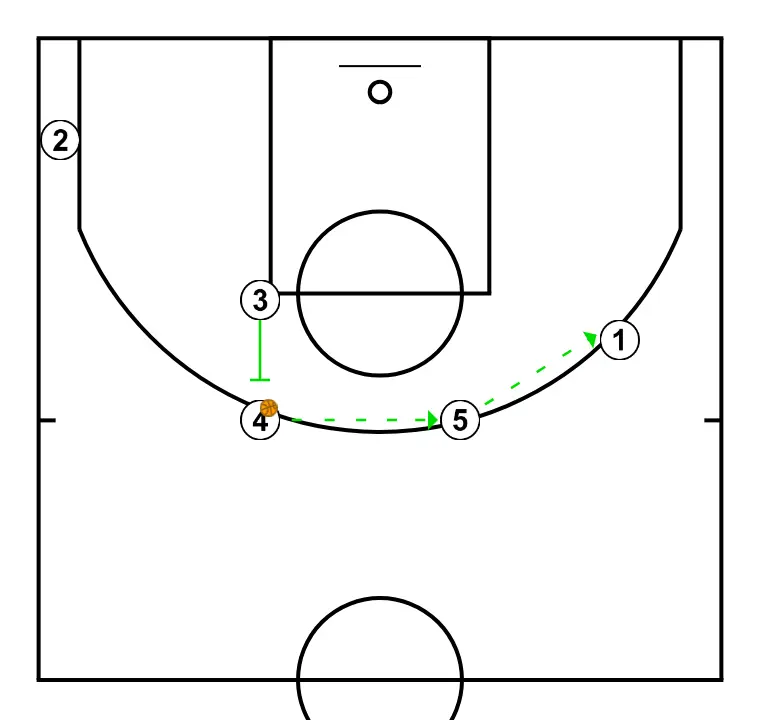
STEP 3
Small forward establishes a screen to create advantage and confuse the defense.

STEP 4
Power forward alters position to create defensive mismatches and penetration options.
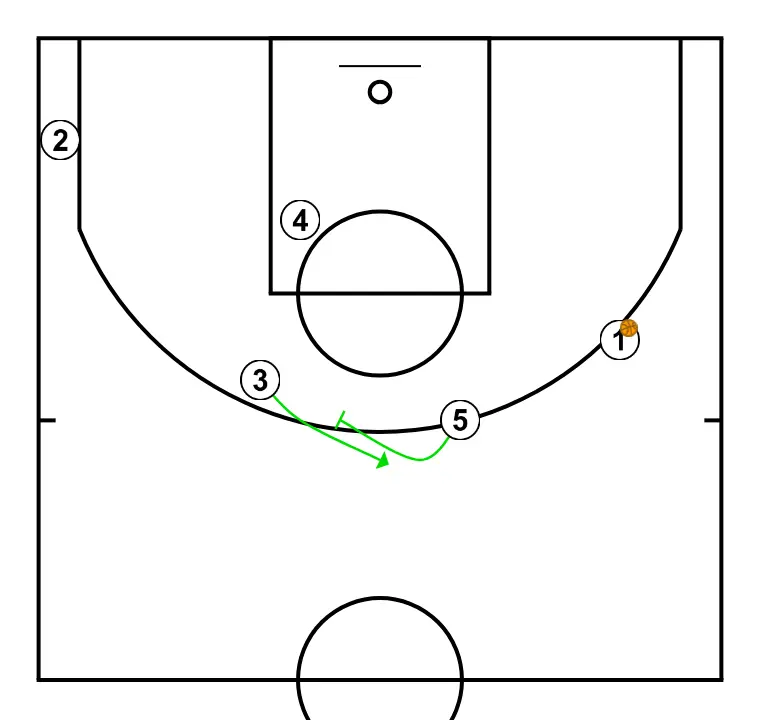
STEP 5
5 sets a precise screen helping a teammate penetrate towards the basket. Small forward shifts to an optimal spot on the court to maximize offensive efficiency.
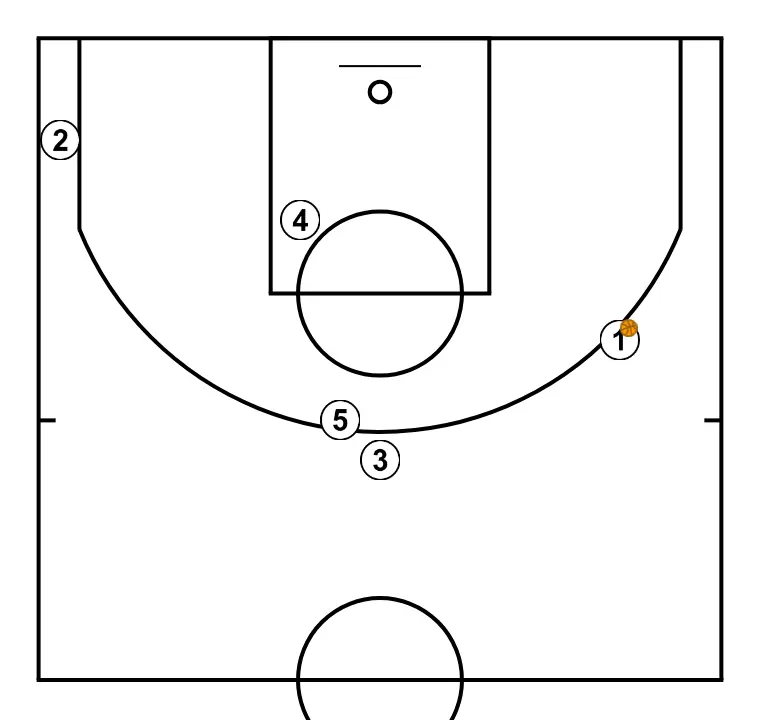
STEP 6
If there is no 3-point shot option, we can have a direct screen with 5 and Handoff with 2 for 5's rescreen