
Play
After Timeout Plays - Example 2
This is an example of an after timeout play that features basketball screens to create perimeter scoring opportunities for the team’s best shooters.
Tactical viewer
Use the existing playback controls to study the movement, then review each step below.
Save and share
Belongs to set:
After Timeout Plays examples
Step by step
Step descriptions
Review the court position and available coaching instructions for each step.
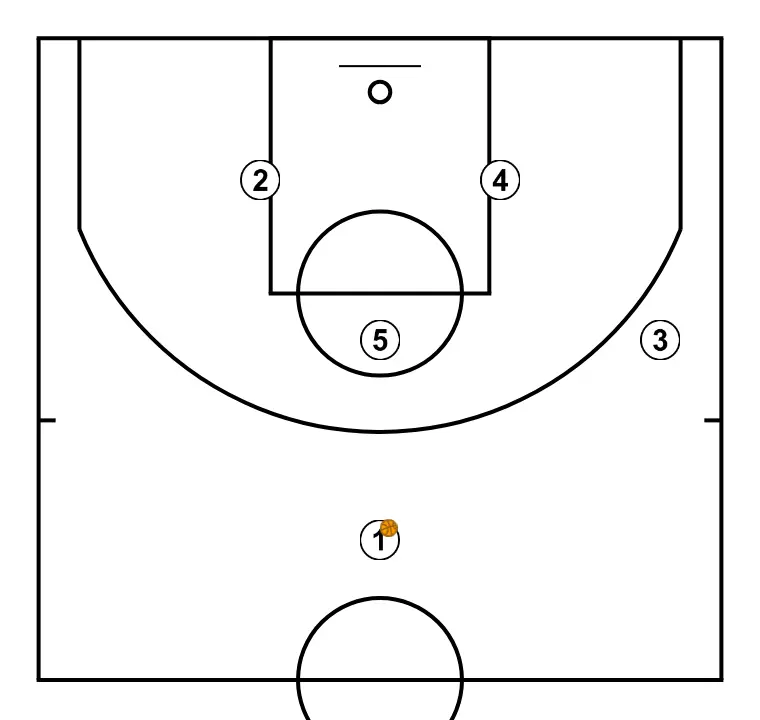
STEP 1
We define the starting positions of the players, placing each strategically to optimize passes and attacking options.
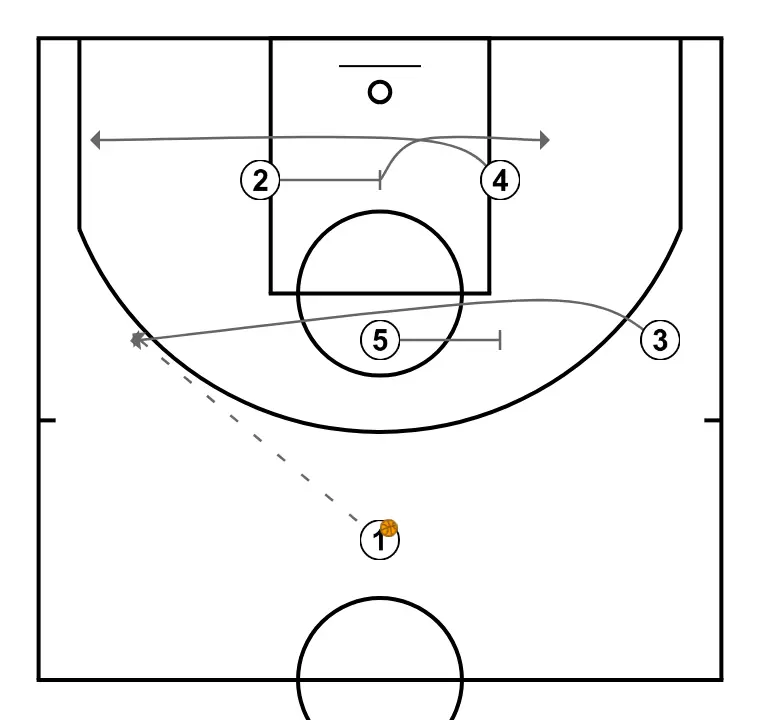
STEP 2
To begin, 3 cuts to the left wing via a high post cross screen set by 5.
At the same time, 4 cuts to the left corner via a cross screen set by 2 in the lane. Next, 3 receives the ball from 1 and then 4 could receive the ball from 3 and take a jump shot if open.
At the same time, 4 cuts to the left corner via a cross screen set by 2 in the lane. Next, 3 receives the ball from 1 and then 4 could receive the ball from 3 and take a jump shot if open.
Additionally, 2 can fill the right low post after setting the screen.
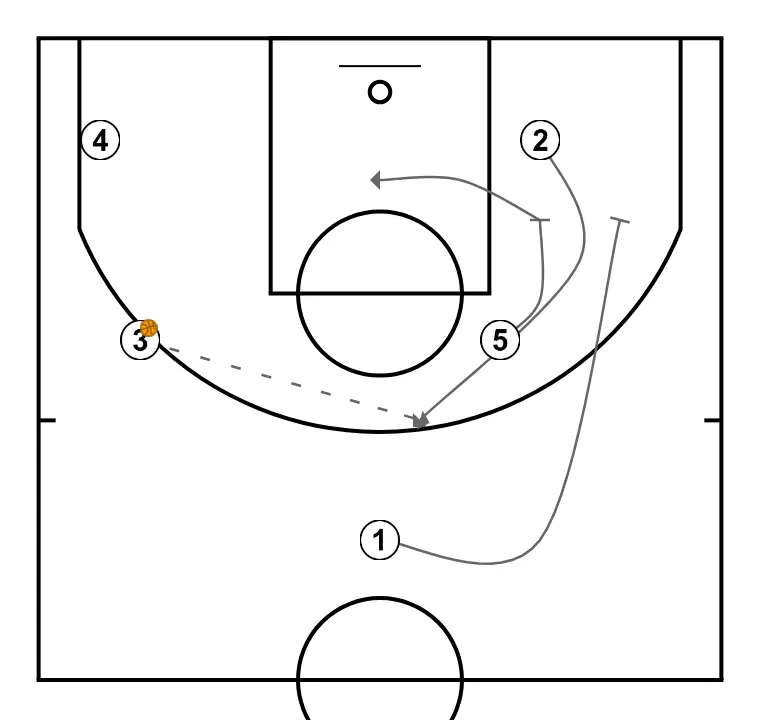
STEP 3
If 4 does not receive the ball, then 2 could cut to the top via elevator screens set by 1 and 5. Furthermore, 5 could slip the screen as well.
Next, 2 could receive the ball from 3 and take the three-point jump shot if open. Also, 5 could receive the ball from 3 and score near the basket.
Comments
Sign in or register to continue. Your draft will remain in this browser and will not be published automatically.